
Paying with your phone has become one of the most common habits in everyday life. You hold your iPhone near a payment terminal, glance at your screen, and the transaction is complete in less than a second. No digging through your wallet, no swiping a card, no signing a receipt. It is fast, clean, and for millions of people it is now the default way to pay.
But a reasonable question comes with that convenience. Is Apple Pay safe?
The answer is yes, and the reasoning behind that answer is worth understanding in full. Apple Pay security is not just marketing language. It is built on specific technical decisions that make this payment method genuinely more secure than a physical card in several important ways. At the same time, there are real-world considerations that every user should know, because no payment system operates in a completely risk-free environment.
This guide covers exactly how Apple Pay protects your money, where the actual risks are, and what habits keep every tap as safe as possible.
 How Apple Pay Processes a Payment
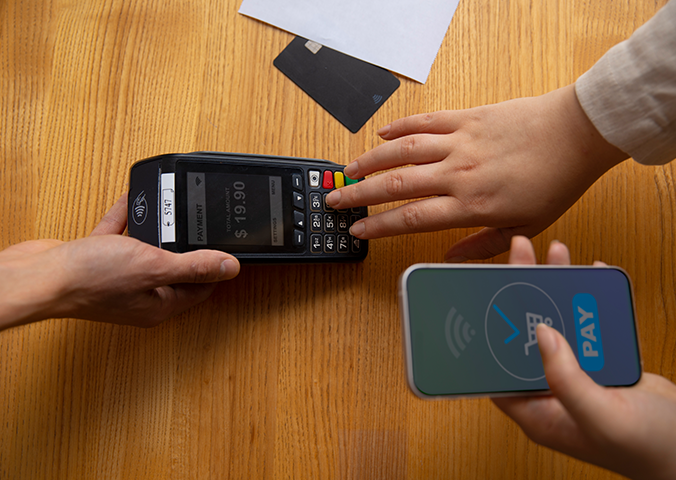
Understanding mobile payment safety starts with understanding what actually happens during a transaction. The technical design of Apple Pay is directly connected to why it is secure.
When you add a credit or debit card to Apple Pay, your real card number is never stored on your device. It is also never transmitted to the merchant when you pay. Instead, Apple generates a unique Device Account Number that is specific to your device and your card combination. This number is encrypted and stored inside a dedicated security chip on your iPhone called the Secure Element. This chip is physically separate from the rest of your phone's memory and processor, meaning apps and software running on your phone cannot access what is stored there.
When you make a purchase, Apple Pay sends the merchant your Device Account Number along with a one-time transaction code that is generated fresh for that specific payment and expires immediately after use. The merchant receives those two pieces of information. They never see your real card number, your name as it appears on the card, your billing address, or your card security code.
Your bank verifies the transaction using the Device Account Number and confirms the one-time code. The purchase goes through. Your actual financial credentials never traveled outside your device in a readable form.
This is the foundation that every other layer of Apple Pay security is built on.
The Protection Layers That Work Every Time You Tap
Contactless payment security through Apple Pay is supported by multiple protections that activate automatically with every transaction.
You must authenticate before anything happens
No Apple Pay transaction processes without your direct involvement. Every payment requires Face ID, Touch ID, or your device passcode before it goes through. This means that holding your phone near a payment terminal does nothing on its own. The authentication step must happen first.
This is a meaningful advantage over a physical card. A lost or stolen card can be used by anyone who picks it up, at any location that accepts it, without any authentication at all. A phone with Apple Pay requires the person holding it to pass biometric verification before a single cent moves.
Every transaction gets a unique code
As described above, each payment generates a one-time authorization code that is valid only for that specific transaction. Even in the theoretical scenario where that transmission were intercepted, the captured data would be completely useless. It cannot be replayed, reused, or applied to a different transaction. There is nothing to copy that has any future value.
This is a direct improvement over magnetic stripe card transactions, where the same card data is transmitted every time and can be copied by a compromised card reader.
The Secure Element keeps credentials isolated
The chip where your Device Account Number lives is walled off from everything else on your phone. Apps cannot reach it. The operating system does not expose it. Even sophisticated malware that managed to run on your device would not be able to access the financial credentials stored in that hardware-protected environment.
Apple does not track your purchases
When you pay with Apple Pay, Apple does not build or retain a detailed record of what you bought, where you bought it, and how much you spent tied to your personal identity. The transaction completes without creating a database of your spending habits on Apple's side. Your digital wallet protection does not come at the cost of your purchase privacy.
Apple Pay Compared to a Physical Card
One of the most clarifying comparisons for understanding is Apple Pay safe is looking at how it stacks up against the physical card it replaces.
A traditional credit or debit card has your full card number, expiration date, and your name printed directly on it. That information is visible to anyone who holds the card. The magnetic stripe encodes the same information in a format that compromised card readers can capture silently, a practice called skimming. When you use that card number for an online purchase, you type the real number into a form and transmit it to the merchant.
Apple Pay replaces all of that with a Device Account Number and a one-time code. The merchant never gets your real number. There is nothing on the transaction that can be skimmed, copied, or reused. The real credentials never leave your device in a usable form.
For in-person transactions, contactless payment security through Apple Pay is genuinely stronger than the physical card alternative in practical, measurable ways.
Where Real Risks Exist
Digital wallet protection through Apple Pay is robust, but a complete and honest guide acknowledges where vulnerabilities do exist. Most of them are not in the technology itself. They are in the habits and circumstances around how the technology is used.
Device security is everything
Because your phone is the key to every Apple Pay transaction, the security of your phone directly determines the security of your payments. A device with no passcode, a weak four-digit PIN, or biometric authentication turned off represents a real gap. If someone can unlock your phone, they can use Apple Pay.
Keeping your device secured with strong authentication is not just general advice. It is the most foundational element of your mobile payment safety.
Scams that ask you to pay voluntarily
The technical protections of Apple Pay do not help if you are tricked into deliberately sending money to a fraudster. Scammers sometimes impersonate businesses, tech support teams, or financial institutions and pressure people into initiating Apple Pay payments themselves.
Any unexpected request to pay someone through Apple Pay, arriving through an unsolicited call, text, or email, deserves serious skepticism. Legitimate businesses do not typically reach out without warning and request immediate payment through a personal digital wallet. Treat those requests with caution regardless of how urgent or credible they are made to sound.
Fraudulent apps and websites
Apple Pay is secure as a payment mechanism, but it cannot verify whether the app or website you are using it on is legitimate. Making a payment through Apple Pay on a fraudulent website sends money to the wrong person through a secure channel. The protection is on the payment side, not on the merchant verification side. Confirming that you are on a legitimate site before tapping to pay is still a necessary step.
Lost or stolen devices
If your phone is lost or stolen, the biometric protection on Apple Pay provides a strong barrier. But acting quickly adds another layer of protection. You can put your device in Lost Mode through Find My, which suspends Apple Pay immediately. You can also remove your cards from Apple Pay through your Apple ID account settings without erasing the device. Knowing how to do both of these things before you ever need to is worth a few minutes of your time.
Settings That Maximize Your Apple Pay Security
Getting the most out of Apple Pay security means making sure specific settings are configured correctly on your device.
Confirm biometric authentication is enabled for Apple Pay
Go to Settings on your iPhone, then navigate to Face ID and Passcode or Touch ID and Passcode depending on your device model. Verify that Apple Pay appears in the list of features using your biometric system. This ensures the authentication requirement is active for every transaction.
Use a strong passcode as your backup
Your passcode is the fallback when biometrics are unavailable, such as when you are wearing a face covering. Use a six-digit numeric passcode at minimum, or better yet, set an alphanumeric passcode that combines letters and numbers. Avoid anything obvious like your birth year, your address number, or a sequential pattern.
Review your transaction history regularly
The Wallet app on your iPhone lets you view recent transactions for each card you have added. Check this history periodically so that anything unfamiliar catches your attention quickly. Early detection of an unexpected transaction is the best starting point for resolving it efficiently.
Know how to act if your phone is lost
Before anything happens, take two minutes to familiarize yourself with how to remove cards from Apple Pay remotely. Sign into your Apple ID at appleid.apple.com, navigate to the device section, and locate the option to manage Apple Pay cards on each listed device. Knowing where this option is means you can act in seconds rather than minutes if your phone is ever lost.
Keep your operating system current
Apple releases security updates regularly that address newly discovered vulnerabilities. Running the current version of your operating system ensures that the protections built into the Secure Element and the rest of your device reflect the most recent improvements Apple has made.
Using Apple Pay for Online and In-App Purchases
Is Apple Pay safe for buying things online or inside apps? Yes, and the core protections apply just as they do in person. When you tap to pay within an app or on a website that supports Apple Pay, your real card number is still never shared with the merchant. The Device Account Number and the one-time transaction code handle the payment exactly as they do at a physical terminal.
There are specific advantages in the online context worth highlighting. You never type your real card number into a web form, which removes the risk of that number being captured by malicious code running on a compromised page. You also do not need to create an account with the merchant or save your payment information in their system, which means a data breach at that merchant cannot expose credentials you never gave them.
For online shopping particularly, choosing Apple Pay where it is accepted is a practical way to reduce the amount of your financial information that exists in merchant databases.
If You Ever See an Unauthorized Transaction
Despite strong protections, if a transaction appears on your Apple Pay linked card that you did not authorize, the path forward is clear.
Contact your card issuer directly as soon as you notice it. Federal consumer protection regulations provide significant rights for cardholders in unauthorized transaction situations, and your card issuer has processes specifically designed to investigate and resolve these cases. Report the transaction, request an investigation, and ask about replacement options.
One practical advantage of Apple Pay in this situation is that because merchants never have your real card number, a compromised Device Account Number can be deactivated and replaced without requiring you to get a new physical card. Your card issuer and Apple can coordinate that process, and your real card remains unaffected.
The Full Picture on Apple Pay Safety
Is Apple Pay safe? For everyday purchases in stores, within apps, and online, Apple Pay is among the most secure payment methods available to everyday consumers today. The architecture is sound. The protections are real. And the comparison to a traditional physical card shows clear advantages in multiple areas that matter.
The areas that warrant ongoing attention are not weaknesses in the technology. They are the same human-side considerations that apply to any financial tool: keeping your device secured, staying alert to requests that pressure you into making unexpected payments, and verifying merchants before completing any transaction.
Mobile payment safety with Apple Pay is strongest when the technology and your habits work together. The double-click and the glance at your screen activate a system built with genuine care for protecting your money. Understanding what that system does, and what your own role in it is, gives you the kind of informed confidence that makes every tap worth making.
Leave a Reply
Your email address will not be published.
0 Comments On this Blog